
Attendance management
Attendance that payroll can trust.
Track working time, apply your attendance policies, handle exceptions, and send approved attendance into payroll.
Worq · AttendanceAcme Corp
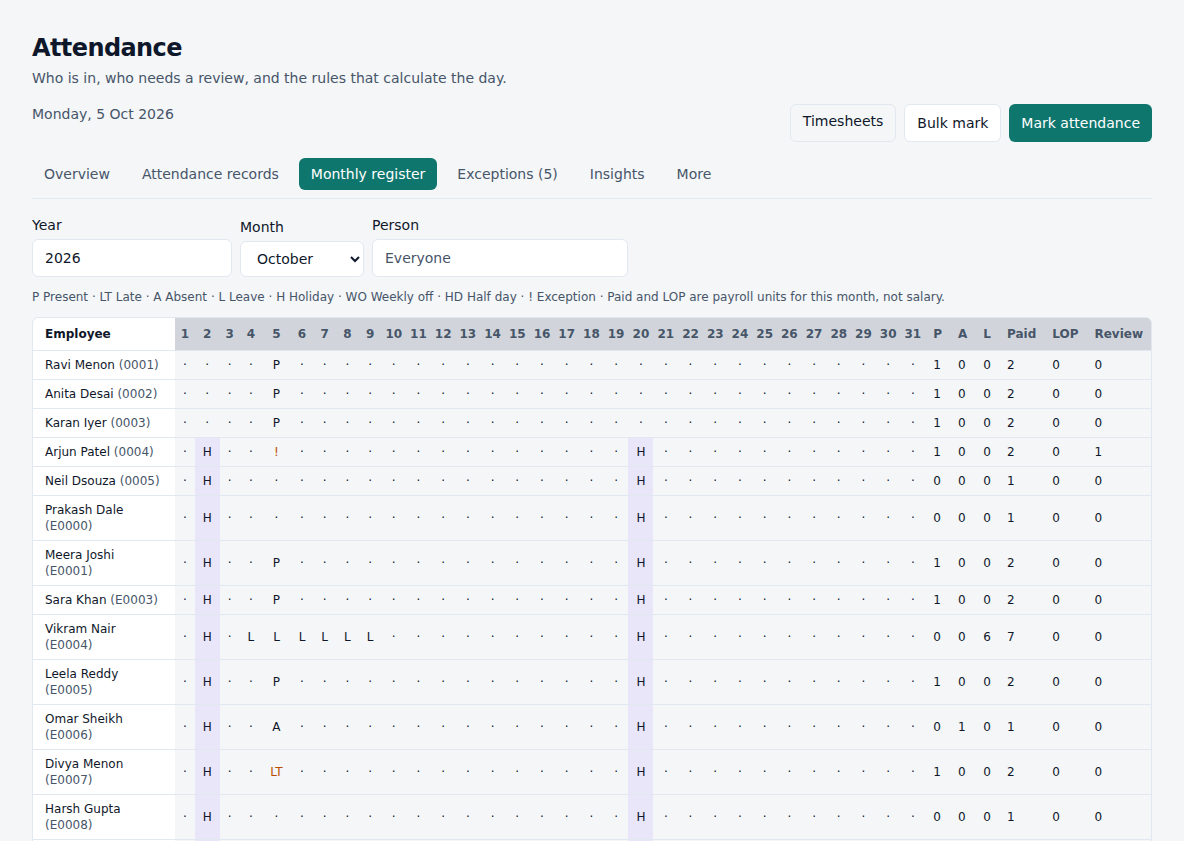
Handle real-world attendance
- Check-in and check-out
- Late arrivals
- Early departures
- Missing punches
- Half days
- Overtime
- Weekly offs
- Holidays
- Shifts
- Leave on the same day
- Geofence when required
- Device and web punches
From check-in to payroll
- 01
Employee checks in
- 02
Attendance is recorded
- 03
Policy is evaluated
- 04
Late / early / OT / absent
- 05
Exception review
- 06
Approved attendance
- 07
Payroll
Policies that match how your company works
- Grace periods
- Late-coming rules
- Early-out rules
- Half-day thresholds
- Overtime ignore windows and approval
- Location required, flagged, or blocked
- Regularization for missing punches
- Different policies by team or person
For employees
Punch from Home or Attendance. See whether you are inside a workplace fence when location is required.
- Check in and out
- Request a correction
- See today’s timeline
- View the month
For managers
See who is in, what is late, and what still needs a decision.
- Team attendance
- Exception review
- Approve corrections
- Spot recurring lateness
Works with the rest of Worq
The shift sets the window. Leave marks the day. Attendance classifies the hours. Payroll uses the approved result.
Questions
- Does everyone have to use a geofence?
- No. Location is off until you turn it on for a policy. You can require it only for some people.
- What if someone forgets to check out?
- The day is flagged. The employee or a manager can regularize it before payroll.
- Can punches come from devices?
- Yes. Map device users to employees, then sync or import. Do not also app-punch the same IN and OUT.
Ready to stop maintaining attendance spreadsheets?
Start a 30-day trial or book a demo with your real rules.